Why Elementor Works for Small Business Websites

Small businesses need websites that look professional, explain services clearly, work smoothly on mobile, and remain easy to update. They also need a practical development process that does not make every small content change expensive. This is why Elementor for small business websites can be a strong choice when it is planned and built correctly.
Elementor provides visual control, reusable templates, responsive settings, forms, and design flexibility inside WordPress. It can support a simple local service website, a multilingual company site, a portfolio, a booking-focused landing page, or a WooCommerce store. The tool is flexible, but the quality of the final website still depends on strategy, structure, content, performance, and ongoing maintenance.
What a Small Business Website Actually Needs
Before choosing a page builder, define the job the website must perform. Most small business websites need to do five things well:
- Explain what the business offers.
- Show who the service is for.
- Build trust through proof, experience, and clear information.
- Make contacting, booking, or purchasing easy.
- Support future content and marketing changes.
A visually impressive page that fails these tasks is not a successful business website. Elementor is useful because it can combine design and practical editing, but every section should still serve a clear business goal.
Visual Editing Makes Updates Easier
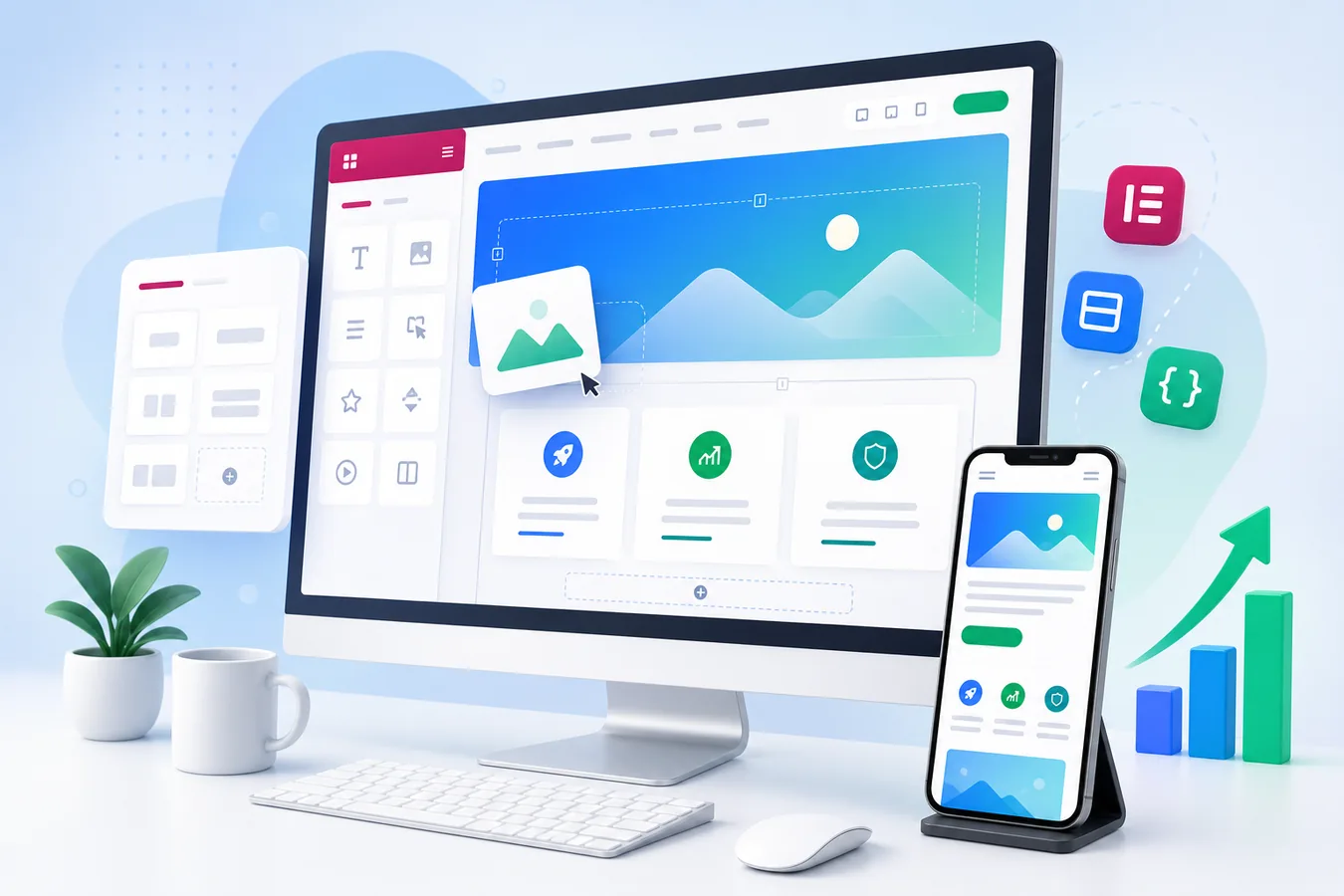
Elementor's main advantage is its visual editor. Business owners and content managers can see the page while changing text, images, buttons, spacing, and sections. This is more intuitive than editing a page through raw code or a collection of abstract backend fields.
For a small business, that can reduce the time required to update opening hours, add a testimonial, replace a team photo, introduce a new service, or create a campaign landing page. The website becomes a tool the business can actively use rather than a static brochure that is difficult to change.
Good setup is important. Global colors, global fonts, reusable widgets, and named templates should be configured from the beginning. Without a design system, visual editing can lead to inconsistent pages with different font sizes, button styles, and spacing.
Flexible Design Without a Fully Custom Theme
A fully custom theme can be excellent, but it may not be necessary for every small company. Elementor allows a developer to create a custom-looking WordPress website without building every visual component from the ground up.
The design can include a branded header, service cards, case studies, testimonials, pricing, FAQs, contact forms, and calls to action. With Elementor Pro, theme templates can control headers, footers, blog layouts, archives, and dynamic content. This gives a small business a tailored result while keeping content management approachable.
The key is to avoid treating Elementor as a library of effects. A professional design normally uses a limited set of components, consistent spacing, clear typography, and purposeful visual hierarchy.
Responsive Design for Mobile, Tablet, and Desktop
Many potential customers will first discover a business from a phone. Elementor provides responsive controls for typography, spacing, alignment, column order, visibility, and container behavior. These controls make it possible to adjust the experience for different screen sizes.
Responsive design is not simply shrinking the desktop page. A good mobile layout may require shorter headings, stacked service cards, larger tap targets, simplified decorative elements, and a contact button that remains easy to reach.
Each important page should be tested on real devices. Check the navigation, forms, accordions, sliders, buttons, embedded maps, and cookie banner. The mobile version should feel intentionally designed, not like a compressed copy of the desktop layout.
Reusable Templates Save Time and Protect Consistency
Small business websites often repeat the same types of content: service introductions, calls to action, testimonial sections, contact blocks, and lead-generation forms. Elementor templates allow these components to be built once and reused.
This provides several benefits:
- New pages can be launched faster.
- Branding remains consistent.
- Important calls to action are easier to update.
- Design errors are less likely to appear on new content.
- The website can grow without every page becoming unique and difficult to maintain.
A developer can also use dynamic content for portfolios, team members, locations, properties, or products. Instead of designing every item manually, one template can display structured content from WordPress fields.
Forms and Lead Generation
A small business website needs clear conversion paths. Elementor Pro includes a form widget that can be used for enquiries, quote requests, newsletter subscriptions, and simple lead forms. It can connect to email marketing tools, webhooks, and automation services.
A form should ask only for the information needed at that stage. Too many fields create friction. The page should explain what happens after submission, show a clear success message, and send reliable notifications to both the business and the visitor when appropriate.
Form design also needs security and deliverability. Use spam protection, configure SMTP or a transactional email service, and test the form from different devices. Track successful submissions on a thank-you page or through a verified event so advertising data is based on real leads.
Elementor and WooCommerce
For businesses selling online, Elementor Pro can customize product pages, category layouts, carts, and other WooCommerce areas. This is useful when the default store design does not match the brand or provide enough control over the buying journey.
A good WooCommerce design should prioritize product information, images, variations, price, delivery details, reviews, and a clear add-to-cart action. Visual customization should not make shopping slower or more confusing. Store performance, checkout reliability, and mobile usability remain more important than decorative effects.
SEO-Friendly Structure Is Still Essential
Elementor can support SEO, but the page builder does not replace an SEO strategy. Each page still needs a clear topic, useful content, one main heading, descriptive subheadings, internal links, optimized images, and a relevant title and meta description.
Service pages should target specific customer needs instead of listing several unrelated keywords. For example, a page about WordPress website redesign should explain when a redesign is needed, what the process includes, and how it improves the business. This creates stronger relevance than repeating the phrase "WordPress redesign" in every paragraph.
The website also needs crawlable navigation, canonical URLs, an XML sitemap, and structured data where appropriate. Blog posts can support service pages by answering real questions and linking readers to the most relevant next step.
Performance: The Most Important Elementor Warning
Elementor websites can become slow when they use several add-on packs, large images, background videos, multiple fonts, external scripts, and deeply nested sections. The solution is not to avoid Elementor completely. The solution is to build with discipline.
Use a lightweight theme, simple containers, optimized images, caching, and only the widgets the website needs. Remove unused plugins and test third-party scripts. Keep animations limited and avoid loading large decorative elements above the fold.
Performance should be checked before launch and after major updates. Review Core Web Vitals, but also test the website on a normal phone connection. A small business website must feel fast to real customers.
Elementor Free or Elementor Pro?
Elementor Free is suitable for basic page layouts and can be enough when the theme already provides a good header, footer, forms, and blog templates. Elementor Pro becomes valuable when the website needs theme building, dynamic content, advanced forms, popups, custom WooCommerce templates, or centrally managed design components.
The decision should be based on features the business will actually use. Installing Pro only to access one decorative widget may not be worthwhile. On the other hand, using several separate plugins to replace Pro features can create more maintenance and performance problems.
When Elementor Is Not the Best Choice
Elementor is not automatically the right solution for every project. A highly specialized web application, an extremely performance-sensitive publication, or a product with complex interactive functionality may benefit from a custom front end or a different architecture.
It may also be the wrong choice when a website has no one responsible for updates, security, backups, and testing. WordPress and Elementor are flexible systems, but they require maintenance.
The right question is not "Is Elementor good or bad?" The right question is whether it matches the website's goals, editing needs, budget, performance requirements, and long-term plan.
Small Business Elementor Website Checklist
Before launching, confirm that the website includes:
1. A clear headline that explains the offer.
2. Separate pages for the most important services.
3. Strong calls to action on every commercial page.
4. Responsive layouts tested on real devices.
5. Optimized images and a reliable caching setup.
6. A simple navigation structure.
7. Testimonials, portfolio examples, or other trust signals.
8. Secure, tested forms with reliable email delivery.
9. Basic on-page SEO and internal links.
10. Analytics and conversion tracking that record real actions.
11. Backups, security updates, and a maintenance process.
12. A design system that keeps future pages consistent.
Frequently Asked Questions
Is Elementor good for a small business website?
Yes, when the website is built with a clear strategy, clean structure, optimized media, and limited add-ons. It provides strong design flexibility and makes future content changes easier.
Can a business owner update an Elementor website?
Most owners can learn to edit text, images, and existing sections. Structural changes, responsive fixes, custom code, and performance optimization are better handled by an experienced developer.
Is Elementor good for SEO?
Elementor can support SEO-friendly pages, but rankings depend on useful content, technical setup, site performance, internal linking, authority, and competition. The page builder alone does not create SEO results.
Does a small business need Elementor Pro?
Not always. Pro is most useful when the site needs custom headers and footers, forms, popups, dynamic templates, or WooCommerce customization. The feature requirements should decide the license.
Final Thoughts
Elementor for small business websites works best when design freedom is combined with a clear content plan, responsive testing, performance optimization, and dependable maintenance. It can help a business launch professional pages faster and keep the website easier to manage as services and marketing campaigns change.
If you are planning a new website or your current Elementor site has become slow, inconsistent, or difficult to update, send me the link. I can recommend a practical structure and handle the project through Upwork for secure payments, milestones, and communication.
Continue Planning Your Website
Elementor Website Development
Professional Elementor websites with reusable sections, responsive layouts, and easy editing. Built cleanly so the site stays flexible without unnecessary bloat.
Explore Service Case StudyBeziehungsklarheit Website
A completed coaching and guidance website with a warm user experience, clear content structure, and service-focused presentation.
View Case Study GuideWhy Your Business Needs a Professional WordPress Website
Why a professional WordPress website remains a valuable business asset in 2026, from credibility and SEO to mobile performance, lead generation, ownership, and growth.
Read Guide